YurbaCMF

YurbaCMF

A lightweight, dependency-free auto-CRUD admin panel and lite content framework for Laravel. The whole interface is plain Blade and vanilla CSS — no front-end build step and nothing extra to compile. Declare a model and a set of fields, and the panel generates the list, forms, validation and persistence.

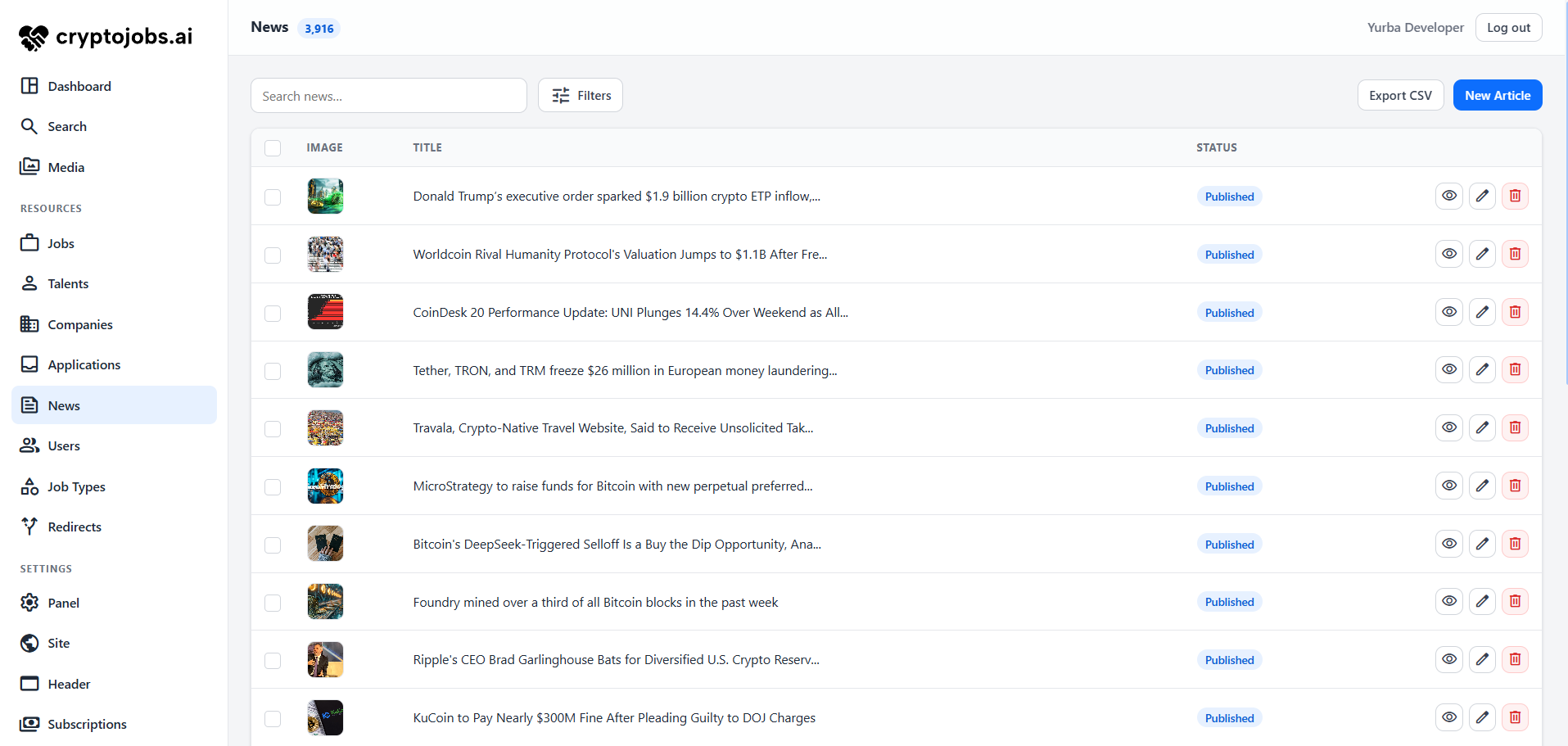
The YurbaCMF admin panel
What's inside
table_rows
Auto-CRUD
List, create, edit, show and delete — generated from a resource class.
edit_note
17 field types
Text, rich editor, media, relations, repeater, SEO — with tabs, sections and conditional fields.
search
Filters & search
Sortable, searchable columns, list filters and a global search across resources.
perm_media
Media library
Central asset manager and picker, with dependency-free image optimisation and thumbnails.
history
Revisions
Per-record snapshots on save, with one-click restore.
schedule
Scheduled publishing
Draft / scheduled / published workflow with signed preview links.
travel_explore
SEO & sitemap
Polymorphic meta fields and a public XML sitemap.
alt_route
Redirects
Admin-managed URL redirects applied by global middleware.
shield_person
Authorization
Per-resource, per-action gates via Laravel policies, plus soft-delete trash.

Installation

Requires PHP 8.2+ and Laravel 11+, plus the GD extension for image optimisation (without it, uploads are stored as-is). No JS build step — assets ship pre-built.

Install
composer require yurba/cmf
php artisan yurba:install   # publishes config + assets, creates app/Admin
php artisan migrate         # media, revisions, seo, redirects tables

The service provider is auto-discovered. The panel lives at /admin — change the prefix in config/yurba.php.

Gate access
use Yurba\Cmf\Facades\Yurba;

// in a service provider — any truthy check
Yurba::authorizeUsing(fn ($user) => $user->is_admin);

Without a custom rule, a truthy is_admin attribute is required.

First login

The panel authenticates against your app's guard (web by default) — it needs an existing user your gate approves. YurbaCMF ships no user table of its own; it reuses Laravel's auth. Flag a user from Tinker (php artisan tinker):

$user = App\Models\User::first();   // or User::factory()->create([...])
$user->is_admin = true;
$user->save();

Then sign in at /admin with that user's credentials.

Updating

After bumping the package, refresh the bundled front-end assets so the panel's CSS/JS match the new version:

composer update yurba/cmf
php artisan vendor:publish --tag=yurba-assets --force
php artisan migrate

Refresh with the yurba-assets tag, not yurba:install --force — the latter also overwrites your config/yurba.php.


Quick start

From a database table to a full admin screen in three steps. We'll build a blog "Post" resource end to end.

1. Model & migration

YurbaCMF reads and writes your Eloquent model directly — no traits, no base class. Just give it the columns and casts your fields expect (see Model setup for the full mapping).

// database/migrations/xxxx_create_posts_table.php
Schema::create('posts', function (Blueprint $table) {
    $table->id();
    $table->string('title');
    $table->string('slug')->unique();
    $table->string('status')->default('draft');
    $table->longText('body')->nullable();
    $table->timestamp('published_at')->nullable();
    $table->timestamps();
});
// app/Models/Post.php
class Post extends Model
{
    protected $guarded = [];

    protected $casts = [
        'published_at' => 'datetime', // the Date field needs a datetime cast
    ];
}
2. Define the resource

A resource is a class in App\Admin that names the model and lists its fields. Each field drives one column across the list, form and detail views; modifiers like searchable() or onlyOnForm() tune where and how it appears.

namespace App\Admin;

use App\Models\Post;
use Yurba\Cmf\Fields\Text;
use Yurba\Cmf\Fields\Editor;
use Yurba\Cmf\Fields\Slug;
use Yurba\Cmf\Fields\Select;
use Yurba\Cmf\Fields\Date;
use Yurba\Cmf\Resources\Resource;

class PostResource extends Resource
{
    public static string $model = Post::class;

    public function fields(): array
    {
        return [
            Text::make('title')->searchable()->sortable()->rules('required|string|max:255'),
            Slug::make('slug')->baseUrl(url('/blog')),
            Select::make('status')->options(['draft' => 'Draft', 'publish' => 'Published']),
            Date::make('published_at')->onlyOnForm(),
            Editor::make('body')->onlyOnForm(),
        ];
    }
}
3. Register it
// config/yurba.php
'resources' => [
    App\Admin\PostResource::class,
],

Prefer to skip the boilerplate? Scaffold the class from an existing table — php artisan yurba:resource Post --from-schema --register maps each column to a sensible field and registers it for you.

That's it

Open /admin and "Posts" is in the sidebar with a full CRUD screen: a searchable, sortable list; create/edit forms with validation; and a detail view. From here everything else is a one-line addition to the same fields() array or resource — filters, row & bulk actions, revisions & scheduled publishing, or SEO fields.


Model setup

The panel reads and writes your Eloquent model directly, so give it the columns and casts the fields expect. This is ordinary Laravel — no traits or base class to add.

What each field needs
FieldColumnCast
Text / Email / Slug / Selectstring
Textarea / Editortext / longText
Numberinteger / decimal
Booleanboolean'boolean' (recommended)
Datedate / timestamp'datetime' (required)
Tags / Repeaterjson'array' (required)
Image / Mediastring— (stores a URL)
BelongsToforeign key, e.g. category_id
BelongsToManynone — a pivot table + relation
Computed / SeoFieldnone — virtual
Migration & model
// database/migrations/…_create_posts_table.php
Schema::create('posts', function (Blueprint $table) {
    $table->id();
    $table->string('title');
    $table->string('slug')->unique();
    $table->string('status')->default('draft');
    $table->foreignId('category_id')->nullable()->constrained();
    $table->text('body')->nullable();
    $table->json('tags')->nullable();
    $table->string('cover')->nullable();
    $table->timestamp('published_at')->nullable();
    $table->timestamps();
});
// app/Models/Post.php
class Post extends Model
{
    protected $guarded = [];

    protected $casts = [
        'tags'         => 'array',    // Tags / Repeater fields
        'published_at' => 'datetime', // Date field
    ];

    public function category()
    {
        return $this->belongsTo(Category::class);
    }
}

Array-backed fields (Tags, Repeater) won't persist without an 'array' cast, and Date needs a 'datetime' cast. Make the model writable with $guarded = [] or a $fillable list.


Resource reference

A resource is a class in App\Admin extending Yurba\Cmf\Resources\Resource. Declare a model and its fields; override any member below to shape the screen — each has a sensible default.

Identity & query
MemberDefaultPurpose
static $modelRequired. The Eloquent model class.
fields()Required. The field set — drives the table, form, validation and persistence.
label() / pluralLabel()from class nameSingular / plural display name.
uriKey()kebab-pluralURL segment, e.g. blog-posts.
icon()nullSidebar icon (raw HTML, e.g. a Material Symbols <span>).
title($record)title / name / email / #idHeading shown for a single record.
perPage()config per_pageRows per page.
query()Model::query()Base query for the resource.
indexQuery($request)search + filter + sortOverride to eager-load relations or add global scopes.
globallySearchable()trueInclude in the panel-wide search box.
searchableColumns()fields with ->searchable()Columns the search scans.
Capabilities
MemberDefaultPurpose
usesSoftDeletes()auto-detectedEnables the trash / restore UI (see Revisions & publishing).
canViewAny / canView / canCreate / canUpdate / canDeletepolicy or truePer-action authorization (see Authorization).
hasRevisions() / revisionsLimit()false / 25Version history.
publishing() / previewRoute()nullDraft / scheduled-publish workflow + signed preview.
canExport() / canImport()true / falseCSV export / import (see Actions).
rowActions() / bulkActions()[]Custom per-row / bulk actions (see Actions).
Example
namespace App\Admin;

use App\Models\Post;
use Illuminate\Database\Eloquent\Builder;
use Illuminate\Http\Request;
use Yurba\Cmf\Resources\Resource;

class PostResource extends Resource
{
    public static string $model = Post::class;

    public function label(): string { return 'Article'; }

    public function icon(): ?string
    {
        return '<span class="material-symbols-rounded">article</span>';
    }

    // eager-load the author so the index list avoids N+1
    public function indexQuery(Request $request): Builder
    {
        return parent::indexQuery($request)->with('author');
    }

    public function fields(): array
    {
        return [ /* ... */ ];
    }
}

Field types

Every field maps a model attribute to a form control and a table cell. Build with Field::make('column', 'Label?') and chain modifiers.

Fields
FieldPurpose
TextSingle-line input (->type() for email/url/number variants).
TextareaMulti-line text; off the index by default.
NumberNumeric input, cast on save.
EmailEmail input.
BooleanToggle switch; renders a pill on the index.
DateDate / datetime picker (->withTime()).
SelectDropdown from ->options([...]).
SlugEditable permalink with live preview; derives from the Sluggable source when blank.
ImageUpload to public/uploads/{dir}; stores the web path.
MediaPick from the media library (or upload a new file).
EditorRich text (YurbaEditor); stores allowlist-sanitised HTML.
TagsComma-separated input backed by an array/JSON column.
BelongsToForeign-key select from a related model.
BelongsToManyMany-to-many multi-select; syncs the pivot on save.
RepeaterEditable table/cards of rows in an array/JSON column.
ComputedDisplay-only value derived from a callback.
SeoFieldMeta title/description, OG image, noindex — stored polymorphically.
Common modifiers
ModifierDescription
->searchable() / ->sortable()Enable search / sort on this column.
->rules('required|max:255')Laravel validation rules.
->onlyOnForm() / ->onlyOnIndex()Show only on the form / only in the table.
->tab('SEO') / ->section('Meta')Group fields into form tabs and titled sections.
->visibleWhen('status', 'publish')Show the field only when another field matches.
->readonly()Render read-only; submitted value ignored on save.
->default($v) / ->placeholder($s) / ->help($s)Default value, placeholder, help text.
Putting it together

A realistic fields() mixing scalar, choice and content fields — each with the modifiers it needs:

use Yurba\Cmf\Fields\{Text, Number, Boolean, Select, Date, Image, Editor, Computed, SeoField};

public function fields(): array
{
    return [
        Text::make('title')->searchable()->sortable()->rules('required|max:255'),
        Number::make('price')->rules('numeric|min:0'),
        Boolean::make('is_featured')->default(false),
        Select::make('status')
            ->options(['draft' => 'Draft', 'publish' => 'Published'])
            ->default('draft'),
        Date::make('published_at')->withTime()->onlyOnForm(),
        Image::make('cover')->dir('covers')->onlyOnForm(),
        Editor::make('body')
            ->toolbar(['bold', 'italic', 'link', 'ul', 'ol'])
            ->maxChars(5000)
            ->onlyOnForm(),
        Computed::make('reading_time', 'Read time')
            ->using(fn ($post) => ceil(str_word_count(strip_tags((string) $post->body)) / 200).' min'),
        SeoField::make('seo')->tab('SEO'),
    ];
}
Configuring relational & complex fields

Most fields work from just a column name, but relations and repeaters need a little setup:

use Yurba\Cmf\Fields\{BelongsTo, BelongsToMany, Repeater, Date, Image, Tags};

// FK select — field name is the FK column; say which model and title column
BelongsTo::make('category_id', 'Category')
    ->relatedModel(Category::class)
    ->title('name')
    ->nullable(),

// many-to-many multi-select — synced to the pivot after save.
// field name is the relation method (override with ->relation('...'))
BelongsToMany::make('tags')
    ->relatedModel(Tag::class)
    ->title('name'),

// repeating rows in a json column — declare the columns
Repeater::make('specs')
    ->columns(['label' => 'Label', 'value' => 'Value'])
    ->addLabel('Add spec')
    ->stacked(),

Date::make('published_at')->withTime(),
Image::make('cover')->dir('covers'),
Tags::make('keywords'),

BelongsTo throws without ->relatedModel(). Tags and Repeater need an 'array'-cast column — see Model setup. A repeater column can be text (default), or an array opting into 'textarea' => true, 'image' => true (upload per row, 'dir'), or 'editor' => true (rich text) — handy for galleries, sliders and repeating rich-content blocks.

Custom fields

Need a control that isn't built in? Scaffold one with php artisan yurba:field ColorPicker — it generates a Field subclass and a Blade partial. Implement component() (the partial to render) and, when the input needs special handling, fill(); then use it in fields() like any other field.


Filters

Return filter objects from filters() to add a filter bar above the list. A filter's value arrives under ?f[key]=… and constrains both the index and the CSV export query.

Built-in filters
FilterColumn typeBehaviour
SelectFilteranyMatch one of ->options([...]) exactly.
BooleanFilterbooleanYes / No / Any tri-state.
DateRangeFilterdateFrom / to date range.

Build each with ::make('column', 'Label?'). The key doubles as the column name; pass a second argument to override the label.

Example
use Yurba\Cmf\Filters\SelectFilter;
use Yurba\Cmf\Filters\BooleanFilter;
use Yurba\Cmf\Filters\DateRangeFilter;

public function filters(): array
{
    return [
        SelectFilter::make('status')->options([
            'draft'   => 'Draft',
            'publish' => 'Published',
        ]),
        BooleanFilter::make('featured'),
        DateRangeFilter::make('created_at', 'Created'),
    ];
}

Actions

Beyond the built-in Edit / Delete, a resource can add custom per-row actions, bulk actions on selected rows, and CSV import / export.

Row & bulk actions

Declare the available actions, then handle them in runAction() / runBulk(). Bulk actions add a checkbox column and a selection bar; the delete key is handled natively.

use Illuminate\Database\Eloquent\Model;
use Illuminate\Support\Collection;

// one button per row, keyed by action name
public function rowActions(?Model $record = null): array
{
    return ['duplicate' => ['label' => 'Duplicate', 'icon' => 'content_copy']];
}

public function runAction(string $action, Model $record): void
{
    if ($action === 'duplicate') {
        $record->replicate()->save();
    }
}

// [key => label]; non-empty enables the selection checkboxes
public function bulkActions(): array
{
    return ['publish' => 'Publish selected'];
}

public function runBulk(string $action, Collection $records): void
{
    if ($action === 'publish') {
        $records->each->update(['status' => 'publish']);
    }
}
CSV import / export
MemberDefaultPurpose
canExport()trueShow Export CSV — respects the active filters & search.
canImport()falseEnable Import CSV — upsert rows by primary key.
exportColumns()pk + field columnsColumns written, so an export round-trips back through import.

Revisions & publishing

Opt-in content workflow: version history, scheduled publishing with a signed preview link, and a soft-delete trash.

Revisions

Return true from hasRevisions() to snapshot a record's attributes on every save into the yurba_revisions table. The panel shows the history and can roll back; entries beyond revisionsLimit() (default 25) are pruned automatically.

public function hasRevisions(): bool { return true; }
public function revisionsLimit(): int { return 50; }
Scheduled publishing

Map your model's status / date columns via publishing(). Records set to the scheduled status with a due date are promoted to published by the yurba:publish-scheduled command.

public function publishing(): ?array
{
    return [
        'status'    => 'status',       // the status column
        'date'      => 'published_at', // when to go live
        'draft'     => 'draft',        // status values ↓
        'scheduled' => 'scheduled',
        'published' => 'publish',
    ];
}

Requires the scheduler. With publish_scheduler on (default) the package registers the every-minute command for you — you only need Laravel's scheduler running in production:

# a single cron entry drives Laravel's scheduler
* * * * * cd /path/to/app && php artisan schedule:run >> /dev/null 2>&1
Signed preview

Return the frontend route for a record from previewRoute(); the panel wraps it in a 30-minute temporarySignedRoute so editors can preview unpublished drafts. Allow it on the frontend with the signed middleware.

// in the resource
public function previewRoute(Model $record): ?array
{
    return ['blog.show', ['post' => $record->slug]];
}

// on the frontend route
Route::get('/blog/{post}', PostController::class)
    ->middleware('signed')   // or check $request->hasValidSignature()
    ->name('blog.show');
Soft-delete trash

If the model uses Laravel's SoftDeletes trait, YurbaCMF detects it and adds a trash view — filter to trashed rows, restore, or delete permanently. No configuration needed.


SEO & sitemap

A polymorphic SEO block per record (no columns on your table), read back on the frontend, plus a public XML sitemap and URL redirects.

The SEO field

Add SeoField::make() to a resource to edit meta title, description, OG image and a noindex flag. Values live in the shared yurba_seo table keyed to the record — nothing to migrate on your model.

use Yurba\Cmf\Fields\SeoField;

public function fields(): array
{
    return [
        // ...content fields...
        SeoField::make()->tab('SEO'),
    ];
}
Rendering on the frontend

Resolve the block with Seo::resolve($model, $fallback) — it returns the stored values, falling back to whatever you pass, plus a noindex boolean.

use Yurba\Cmf\Seo\Seo;

$meta = Seo::resolve($post, [
    'title'       => $post->title,
    'description' => $post->excerpt,
]);
// => ['title' => ..., 'description' => ..., 'image' => ..., 'noindex' => false]
<title>{{ $meta['title'] }}</title>
<meta name="description" content="{{ $meta['description'] }}">
@if($meta['noindex']) <meta name="robots" content="noindex"> @endif
Sitemap & redirects

The public /sitemap.xml combines static URLs with model-driven sources (see Configuration → Sitemap); records flagged noindex are excluded. The redirect manager stores old → new URL pairs and applies them through global middleware, optionally counting hits.


Media library

A built-in file library with a picker, dependency-free image optimisation (GD) and thumbnails. Enable and tune it under media in Configuration.

Two ways to attach files
FieldStoresWhen to use
Medialibrary referenceReusable assets — pick from the library or upload into it.
Imageweb pathA one-off upload straight to public/{dir}.
use Yurba\Cmf\Fields\Media;
use Yurba\Cmf\Fields\Image;

Media::make('cover'),
Image::make('thumbnail')->dir('thumbs'),
Optimisation

With media.optimize on, uploads are downscaled to max_width, re-encoded at quality and stripped of metadata; a thumbnail is generated when thumbnails is on. Backfill existing files with yurba:media-optimize. The inline editor uploads its images separately under uploads.dir.


Configuration

Everything is driven by config/yurba.php (published by yurba:install). Copy the full file below, then see each key explained beneath it.

Full config
// config/yurba.php
return [

    // Branding
    'brand'      => env('YURBA_BRAND', 'YurbaCMF'),
    'logo'       => env('YURBA_LOGO', null),
    'hide_brand' => env('YURBA_HIDE_BRAND', false),

    // Routing & auth
    'prefix'     => env('YURBA_PREFIX', 'admin'),
    'middleware' => ['web'],
    'guard'      => env('YURBA_GUARD', 'web'),

    // Your resources & settings pages
    'resources' => [
        // App\Admin\PostResource::class,
    ],
    'settings' => [
        // App\Admin\Settings\GeneralSettings::class,
    ],
    'builtin_settings' => true,

    // Custom panel screens (classes extending Yurba\Cmf\Pages\Page)
    'pages' => [
        // App\Admin\Pages\ReportsPage::class,
        // [App\Admin\Pages\SectionPage::class, 'header', 'Header'],   // with args
    ],

    'action_icons'      => true,
    'publish_scheduler' => true,
    'per_page'          => 20,

    // Extra assets injected into the panel
    'styles'  => [],
    'scripts' => [],
    'head'    => null,
    'foot'    => null,

    // Inline editor image uploads
    'uploads' => [
        'dir'    => 'uploads/editor',
        'max_kb' => 4096,
        'mimes'  => 'jpeg,jpg,png,gif,webp,avif',
    ],

    // Media library
    'media' => [
        'enabled'     => env('YURBA_MEDIA', true),
        'disk'        => env('YURBA_MEDIA_DISK', 'public'),
        'dir'         => 'media',
        'mimes'       => 'jpeg,jpg,png,gif,webp,avif,pdf',
        'max_kb'      => 8192,
        'per_page'    => 28,
        'optimize'    => env('YURBA_MEDIA_OPTIMIZE', true),
        'max_width'   => 2560,
        'quality'     => 82,
        'thumbnails'  => true,
        'thumb_width' => 480,
    ],

    // URL redirects
    'redirects' => [
        'enabled'  => env('YURBA_REDIRECTS', true),
        'log_hits' => true,
    ],

    // Public XML sitemap
    'sitemap' => [
        'enabled' => env('YURBA_SITEMAP', true),
        'static'  => [],
        'sources' => [
            // [
            //     'model' => App\Models\Post::class,
            //     'route' => 'blog.show', 'param' => 'post', 'key' => 'slug',
            //     'scope' => 'published', 'lastmod' => 'updated_at',
            //     'changefreq' => 'weekly', 'priority' => '0.7',
            // ],
        ],
    ],

    // Rich-text editor driver: 'yurba' | 'none' | 'custom'
    'editor' => [
        'driver'  => env('YURBA_EDITOR', 'yurba'),
        'styles'  => [],
        'scripts' => [],
        'init'    => null,
    ],

    // Progressive UI enhancements (turn any off to fall back to native)
    'ui' => [
        'select' => env('YURBA_UI_SELECT', true),
        'viewer' => env('YURBA_UI_VIEWER', true),
        'icons'  => env('YURBA_UI_ICONS', true),
    ],
];
Core
KeyDefaultDescription
prefix'admin'URL prefix the panel is mounted under.
middleware['web']Middleware applied to every panel route.
guard'web'Auth guard used to sign in to the panel.
resources[]Registered resource classes (App\Admin\*Resource).
settings[]Your own settings pages (extend SettingsPage).
builtin_settingstrueShow the built-in Panel settings tab.
pages[]Custom panel screens (see Custom pages).
brand'YurbaCMF'Sidebar / page-title brand text.
logonullSidebar logo URL; null uses the bundled logo.
hide_brandfalseShow only the logo in the sidebar (brand still used in titles).
action_iconstrueRender row actions as icons instead of text labels.
publish_schedulertrueRegister the every-minute scheduled-publish command.
per_page20Default rows per page in resource tables.
styles / scripts[]Extra stylesheet / script URLs loaded inside the panel.
head / footnullRaw HTML injected into <head> / before </body>.
Media library — media
KeyDefaultDescription
enabledtrueShow the Media tab and library.
disk'public'Storage disk files live on (local, S3, …).
dir'media'Base directory on the disk.
mimesjpeg,png,webp,pdf,…Allowed upload mimes (SVG excluded on purpose).
max_kb8192Max upload size, in KB.
per_page28Items per page in the media grid.
optimizetrueDownscale + re-encode uploads (GD) and strip metadata.
max_width2560Width (px) images are downscaled to when optimising.
quality82JPEG / WebP re-encode quality.
thumbnailstrueGenerate a small derivative for grids / the picker.
thumb_width480Thumbnail width, in px.
Editor uploads — uploads

Inline image uploads from the Editor field. Files are moved under public/{dir}.

KeyDefaultDescription
dir'uploads/editor'Public directory inline images are stored in.
max_kb4096Max image size, in KB.
mimesjpeg,png,webp,…Allowed mimes (SVG excluded).
Editor driver — editor
KeyDefaultDescription
driver'yurba'Rich-text driver: 'yurba' (bundled), 'none' (plain <textarea>), or 'custom'.
styles / scripts[]Asset URLs for a custom driver.
initnullJS init snippet for a custom driver (enhances textarea[data-editor]).
UI enhancements — ui
KeyDefaultDescription
selecttrueYurbaUI enhanced <select> control (else native).
viewertrueYurbaPV click-to-zoom image lightbox.
iconstrueLoad the Material Symbols icon font (off to self-host).
Sitemap — sitemap
KeyDefaultDescription
enabledtrueServe the public /sitemap.xml.
static[]Extra URLs added verbatim (each loc + optional changefreq/priority).
sources[]Model-driven URL sets — one entry per content type (keys below).

Each sources entry: model, route (named route), param (route parameter), key (model attribute bound to it), optional scope (query scope[s]), filter (where-equals map), lastmod (column), changefreq and priority. Records flagged noindex in their SEO block are excluded automatically.

Redirects — redirects
KeyDefaultDescription
enabledtrueRedirect manager tab + the global redirect middleware.
log_hitstrueCount each redirect's usage.

Settings pages

Group editable options into a settings tab. Values persist to a JSON store under storage/app — no database, no migration.

Define a page

Extend SettingsPage and return a set of fields — the same field classes resources use. Scaffold with php artisan yurba:settings General.

namespace App\Admin\Settings;

use Yurba\Cmf\Settings\SettingsPage;
use Yurba\Cmf\Fields\Text;
use Yurba\Cmf\Fields\Boolean;

class GeneralSettings extends SettingsPage
{
    public function fields(): array
    {
        return [
            Text::make('site_title', 'Site title')->rules('required'),
            Text::make('support_email', 'Support email')->rules('nullable|email'),
            Boolean::make('maintenance', 'Maintenance mode'),
        ];
    }
}

Register it under settings in config/yurba.php (or pass --register to the command).

Read the values
use Yurba\Cmf\Settings\Store;

$title = Store::get('site_title', 'My site');
$down  = (bool) Store::get('maintenance', false);

The built-in Panel tab (branding, accent, pagination) uses the same store; hide it with builtin_settings => false.


Custom pages

Not everything is a CRUD table. A page is your own screen — a bespoke editor, dashboard or report — that gets a sidebar entry and renders inside the panel shell. Register classes extending Yurba\Cmf\Pages\Page under pages in the config.

Anatomy
MemberPurpose
render($request)GET. Return a view or HTML string (wrapped in the panel chrome), or a full Response (used as-is).
handle($request)POST. Process a submit; redirects back by default.
label() / uriKey() / icon()Sidebar name, URL segment ({prefix}/pages/{uriKey}) and optional icon.
canView($user)Authorization — hide the screen from users who fail it.
inNav()true; return false to keep the screen routable but out of the sidebar (e.g. reached from a hub).
group()null; return a label to list the screen under a sidebar heading (like the Resources / Settings groups).
Example
namespace App\Admin\Pages;

use Illuminate\Http\Request;
use Yurba\Cmf\Pages\Page;

class ReportsPage extends Page
{
    public function label(): string { return 'Reports'; }

    public function icon(): ?string
    {
        return '<span class="material-symbols-rounded">bar_chart</span>';
    }

    public function render(Request $request): mixed
    {
        return view('admin.reports', [
            'signups' => \App\Models\User::whereDate('created_at', today())->count(),
        ]);
    }
}

Register it under pages — as a class string, a [Class, ...args] tuple to pass constructor arguments (stays config:cache-safe, so one parameterised page class can back several entries), or a ready instance. The view returns page content only — YurbaCMF wraps it in the sidebar + header — and it's served at /admin/pages/reports.


Content pages

Editable site copy where each page has its own structure. A content page declares its own fields() (any field types — Repeater for repeating blocks, Image/Media, Editor…) and its values are stored as one JSON document per page. Extend Yurba\Cmf\Content\ContentPage and register it under pages like any custom page.

Declare the schema
namespace App\Admin\Pages;

use Yurba\Cmf\Content\ContentPage;
use Yurba\Cmf\Fields\Editor;
use Yurba\Cmf\Fields\Image;
use Yurba\Cmf\Fields\Repeater;
use Yurba\Cmf\Fields\Text;

class HomeContent extends ContentPage
{
    public function label(): string { return 'Home page'; }

    public function fields(): array
    {
        return [
            Text::make('hero_title'),
            Editor::make('intro'),
            Image::make('hero_bg')->dir('content'),
            // repeating blocks — the whole point of per-page structure
            Repeater::make('features')->columns(['title' => 'Title', 'text' => 'Text']),
        ];
    }
}

A simple page is just Text::make('title') + Editor::make('body'); a rich one adds repeaters, images and conditional fields — same field API as resources, including ->tab('SEO') to split a long form into tabs.

Read it on the frontend
use Yurba\Cmf\Content\Content;

$home = Content::get('home');                 // ['hero_title' => ..., 'features' => [...]]
$title = Content::field('home', 'hero_title', 'Welcome');

// or the global shorthand (same thing), handy in Blade:
content('home', 'hero_title', 'Welcome');

Values persist to the package's yurba_content table — one JSON row per page (keyed by uriKey()). No per-field columns, so the schema is free to change.


Authorization

A global entry gate decides who reaches the panel; per-resource, per-action checks scope what they can do.

Per-resource gates
public function canView($user, $record): bool
{
    return $user->id === $record->author_id;
}
// also: canViewAny, canCreate, canUpdate, canDelete

Each method defers to a Laravel Policy on the model if one defines the matching ability, otherwise override it here. With neither, everything is allowed (still gated by the entry gate).


Theming

The panel is a light UI themed with --y-* CSS variables. Set an accent from the built-in settings page or override the variables.

Custom accent
[data-yurba] {
    --y-accent: #16a34a;
    --y-accent-ink: #15803d;
}

Brand name, logo and accent are editable at runtime from Settings → Panel. Turn on Hide brand name to show only the logo.


Commands

Artisan commands ship with the package.

Available
CommandDescription
yurba:installPublish config + assets, create app/Admin.
yurba:resource {Name}Scaffold a resource. --from-schema maps table columns, --register adds it to config.
yurba:field {Name}Scaffold a custom field + its Blade partial.
yurba:settings {Name}Scaffold a settings page.
yurba:media-optimizeBackfill thumbnails and downscale oversized library images.
yurba:publish-scheduledPromote scheduled records whose publish time has arrived (run every minute).

Dependencies

Nothing beyond Laravel on the PHP side. The UI bundles a few small, self-contained front-end libraries — and every one of them is optional, toggled from config/yurba.php.

Bundled front-end
LibraryUsed forDisable with
YurbaUI Enhanced select / dropdown controls. ui.select => false
YurbaPV Click-to-zoom image lightbox. ui.viewer => false
YurbaEditor Rich-text editor behind the Editor field. editor.driver => 'none'
Material Symbols Sidebar, resource and action icons (Google font). ui.icons => false

Everything here is optional. Turn any of them off in config/yurba.php and the panel gracefully falls back — a native <select>, a plain <textarea>, no lightbox, or self-hosted icons — with no other changes needed.